Finding the best payroll software for small business operations shouldn’t require an accounting degree or hours of manual data entry. Reliable payroll software automates federal, state, and local tax filings, tracks contractor hours, and prevents costly IRS compliance penalties. Whether you run a single retail storefront or manage a multi-state remote team, this guide breaks down the top platforms by cost, features, and reliability.
Expert Verdict: Top Payroll Software for Small Businesses in 2026
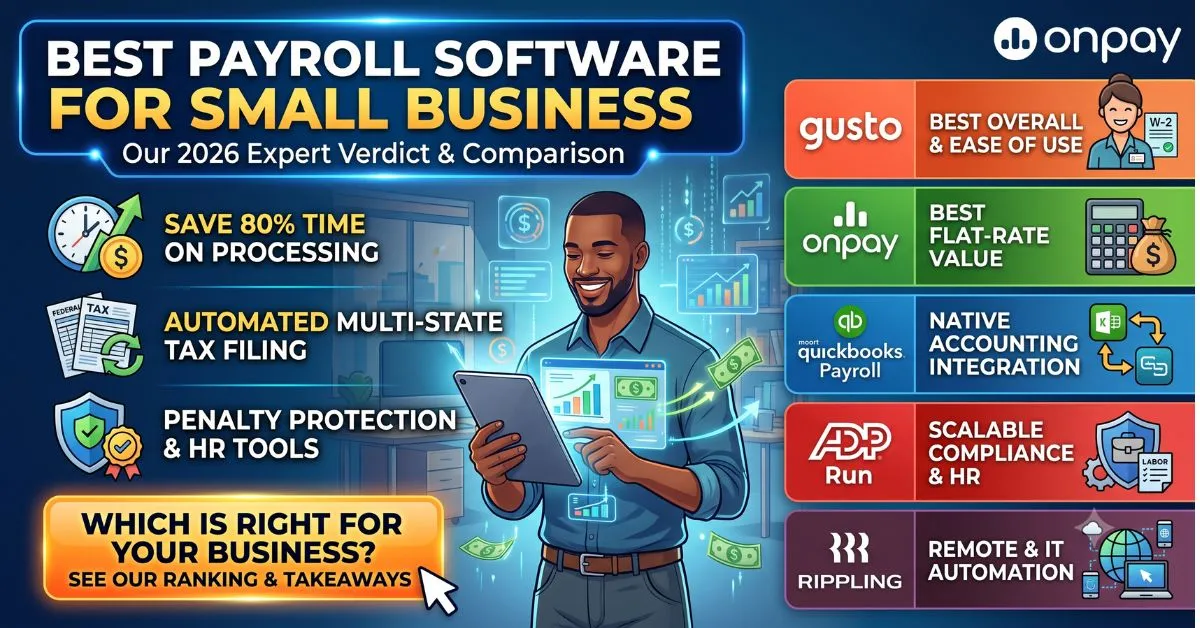
Selecting the right payroll platform directly impacts your bottom line, tax compliance, and employee satisfaction. Based on hands-on testing, pricing transparency, and customer support responsiveness, here is how the top contenders rank:
- Gusto: Best for growing teams needing integrated HR, benefits, and automated tax filings.
- OnPay: Best for straightforward flat-rate pricing with no hidden multi-state fees.
- QuickBooks Payroll: Best for businesses already deeply integrated into the Intuit ecosystem.
- ADP RUN: Best for established companies needing enterprise-grade compliance and dedicated support.
- Rippling: Best for tech startups managing complex IT provisioning alongside payroll.
Key Criteria: How We Evaluated and Ranked Each Platform
To deliver an objective, user-first ranking, each platform was evaluated against five foundational operational benchmarks:
- Tax Automation & Penalty Protection: Ability to accurately automate local, state, and federal filings (W-2, 1099, FICA, FUTA, SUTA) with backing guarantees.
- Total Cost of Ownership (TCO): Transparent base fees, reasonable per-employee costs, and the absence of hidden surcharges for year-end tax forms or multi-state runs.
- Software & Ledger Integrations: Native API synchronization with major accounting, time-tracking, and POS software.
- Employee Self-Service & Onboarding: Mobile-responsive portals for viewing pay stubs, downloading tax documents, and managing benefit elections.
- Customer Service & Compliance Support: Availability of certified payroll specialists and responsive live assistance during critical processing windows.
In-Depth Reviews of the Best Payroll Platforms
1. Gusto: Best Overall for Growing Small Businesses
Gusto remains the standout choice for the majority of small businesses. It combines an incredibly intuitive user interface with robust automated tax filings at the federal, state, and local levels.
With pricing starting at $49 per month plus $6 per employee, it includes W-2 and 1099 processing without extra year-end surcharges. The platform seamlessly integrates benefits administration and 401(k) management.
Its built-in employee self-service portal grants workers lifetime access to pay stubs and tax documents, vastly reducing administrative burdens on HR. 👉 Forbes
2. OnPay: Best Flat-Rate Value for Straightforward Payroll
OnPay is the undisputed king of straightforward, transparent pricing. For a flat $49 per month plus $6 per employee, you get unlimited payroll runs, multi-state tax filing, and basic HR tools with zero hidden tier upgrades.
Unlike competitors that charge extra for processing 1099 contractors or generating year-end tax forms, OnPay includes these in its base fee. It is highly favored by specific niches like healthcare and restaurant verticals.
It also boasts excellent live phone support and deep API integrations with top accounting software like Xero and QuickBooks. 👉 US Chamber of Commerce
3. QuickBooks Payroll: Best for Native Accounting Integration
For businesses already relying heavily on the Intuit ecosystem, QuickBooks Payroll is unmatched. It offers seamless, real-time ledger synchronization that eliminates duplicate data entry and reconciliation errors.
Pricing starts around $45 per month plus $6 per employee, providing automated tax penalty protection and same-day direct deposit capabilities on its higher-tier plans.
QuickBooks also strictly adheres to the latest 2026 labor laws regarding accurate overtime calculations and rigid multi-state compliance. 👉 CPA Practice Advisor
4. ADP Run: Best for Scalability and Complex HR Compliance
ADP Run is designed for businesses anticipating rapid growth or those dealing with highly complex HR compliance needs. Backed by decades of enterprise-level experience, ADP offers unparalleled legal and compliance support.
While pricing requires a custom quote and can become expensive with modular add-ons, the robust tax penalty guarantees and dedicated compliance specialists are worth the investment for larger SMBs.
The platform seamlessly handles the strict documentation requirements of the new 2026 One Big Beautiful Bill Act (OBBBA) for tip and overtime deductions. 👉 Society for Human Resource Management (SHRM)
5. Rippling: Best for Tech Startups and Hybrid/Remote Teams
Rippling disrupts traditional payroll by combining HR, IT hardware management, and global payroll into one unified platform. It is perfect for distributed teams needing instant onboarding.
Starting around $35 per month plus $8 per employee, Rippling allows managers to provision apps, ship laptops, and run international payroll simultaneously in over 150 countries.
Its Employer of Record (EOR) functionality enables US startups to effortlessly hire and pay global talent while remaining strictly compliant with local labor laws. 👉 TechCrunch
Payroll Software Costs and Pricing Breakdown (2026)
Modern SaaS payroll pricing consists of a base subscription fee plus a per-worker (employee or contractor) monthly charge. The industry average in 2026 sits around $40 to $50 monthly, plus $6 to $12 per user.
However, your Total Cost of Ownership (TCO) can increase dramatically depending on the frequency of your payroll runs, benefits administration needs, and advanced tax filing capabilities.
Always calculate pricing based on your maximum seasonal headcount and your exact ratio of W-2 employees to 1099 independent contractors. 👉 SBA.gov
Hidden Costs and Surcharges to Watch For
Many legacy payroll providers advertise low base rates but heavily penalize businesses with backend surcharges. Watch out for year-end tax form fees, where vendors charge up to $10 per printed W-2 or 1099.
Another major hidden cost is the multi-state filing fee. If you have remote employees working across state lines, some providers charge an extra $12 to $25 per month for each additional state.
Finally, beware of premium fees for same-day direct deposit or off-cycle payroll runs, which can easily inflate your monthly software bill by 30% or more. 👉 Securities and Exchange Commission (SEC)
Pros & Cons: Top Small Business Payroll Software Compared
When choosing a payroll provider, it is crucial to weigh the trade-offs between pricing transparency, ecosystem lock-in, and scalability. Here is a direct breakdown of where the top platforms excel and where they fall short.
- Gusto:
- Pros: Exceptionally easy user interface; robust HR features; automated multi-state tax compliance.
- Cons: Lacks native time-tracking on the base tier; phone support wait times can spike during tax season.
- OnPay:
- Pros: Simple, flat-rate pricing with zero hidden tier upgrades; strong support for specialized industries (e.g., agriculture, restaurants).
- Cons: Fewer third-party integration options compared to Gusto or ADP; lacks a built-in learning management system.
- QuickBooks Payroll:
- Pros: Flawless, real-time ledger syncing for QuickBooks Online users; next-day and same-day direct deposit options.
- Cons: Can become expensive when adding HR features; requires existing commitment to the Intuit ecosystem to maximize value.
- ADP Run:
- Pros: Enterprise-grade compliance support; highly customizable modules for rapidly scaling businesses.
- Cons: Opaque custom pricing requires a sales call; features like benefits administration require higher-tier plans or add-ons.
- Rippling:
- Pros: Unifies payroll, HR, and IT hardware management; perfect for global teams needing Employer of Record (EOR) services.
- Cons: The base fee plus per-module pricing can add up quickly; overkill for micro-businesses with strictly domestic W-2 employees.
If you are currently relying on manual calculations, upgrading to any of these systems will significantly reduce your administrative burden.
Comprehensive Feature & Compatibility Comparison Table
Use this side-by-side comparison to evaluate the top platforms based on base pricing, tax capabilities, and integration strengths.
| Feature / Platform | Gusto | OnPay | QuickBooks Payroll | ADP Run | Rippling |
| Base Price (Monthly) | $49 + $6/user | $49 + $6/user | ~$45 + $6/user | Custom Quote | $35 + $8/user |
| Automated Tax Filing | Yes (Fed/State/Local) | Yes (Fed/State/Local) | Yes (Fed/State/Local) | Yes (Comprehensive) | Yes (Global Support) |
| W-2 & 1099 Fees | Included | Included | Included | Add-on pricing varies | Included in base |
| Best Native Integration | Xero, Time trackers | QuickBooks, Xero | QuickBooks Online | ADP Marketplace (800+) | IT/Hardware & Apps |
| Global/EOR Payroll | Partner add-on | No (US only) | Partner add-on | Yes (Requires upgrade) | Native & Seamless |
⚠️ WARNING:
Always double-check your provider’s policy on multi-state taxation before signing up. If you have remote employees living in different states, some software platforms charge an additional $10 to $25 per month per state to handle the localized tax withholdings and filings.
How to Choose and Implement the Right Payroll System
Transitioning to a new payroll software—or setting one up for the first time—requires careful planning to ensure continuous compliance and avoid delayed employee paychecks.
Step 1: Audit Your Workforce Structure
Determine your exact ratio of W-2 employees to 1099 independent contractors. If you only hire contractors, a dedicated contractor payment tool might be cheaper. If you have W-2 employees, you legally need a system that handles FICA, FUTA, and SUTA tax withholdings. 👉 IRS.gov Guidelines
Step 2: Calculate Your True Total Cost of Ownership (TCO)
Do not just look at the base subscription fee. Calculate the costs for your maximum headcount, factor in end-of-year W-2 generation fees, and account for any required HR add-ons like time tracking or workers’ compensation administration.
Step 3: Verify Accounting Integrations
Your payroll system must speak directly to your general ledger. Ensure the software offers a native, two-way API sync with your accounting platform (e.g., QuickBooks Online, Xero, or FreshBooks) to prevent manual journal entry errors.
Step 4: Run a Parallel Payroll Test
Never switch systems cold turkey. Run your old process (or spreadsheet) and your new software simultaneously for at least one pay period. This parallel run ensures all deductions, garnishments, and direct deposit timelines are completely accurate before making the new system your single source of truth.
Frequently Asked Questions About Small Business Payroll Software
What is the best and cheapest payroll software for a small business?
For small businesses looking for the best value, OnPay is the top choice because it charges a flat $49 monthly base fee plus $6 per employee. Unlike competitors, it does not charge extra hidden fees for generating year-end W-2s or 1099s.
Does QuickBooks do payroll automatically?
Yes, QuickBooks Payroll offers an Auto Payroll feature that automatically processes payroll for salaried employees and hourly workers with default schedules. It also calculates, files, and pays your federal and state payroll taxes automatically to help you avoid IRS penalties.
What is the easiest payroll system to use?
Gusto is widely considered the most user-friendly payroll software on the market, boasting a setup time of under 30 minutes for new users. Its highly intuitive dashboard makes running payroll, managing benefits, and handling compliance effortless, even if you have no prior HR experience.
How much does payroll software cost per month?
In 2026, the industry average for standard SaaS payroll software is a $40 to $50 monthly base fee, plus a per-worker fee of $6 to $12 per month. However, your total cost can increase if your provider charges extra for multi-state tax filings or same-day direct deposits.
How do I handle multi-state payroll taxes and compliance?
To handle multi-state compliance, you should use a full-service platform like Gusto or ADP Run that automatically registers your business in new states and adjusts local tax withholdings. If you have international workers, an Employer of Record (EOR) service like Rippling is required to maintain legal compliance across borders.
Conclusion
Choosing the best payroll software for small business operations is no longer just about cutting physical checks—it is about risk mitigation and HR automation. In 2026, relying on manual spreadsheets invites costly IRS penalties and labor law violations.
For the vast majority of growing businesses, Gusto offers the perfect balance of intuitive design, robust automated tax filing, and scalable benefits administration. If budget transparency is your top priority, OnPay delivers exceptional value without hidden surcharges. Meanwhile, established QuickBooks users should stay within the Intuit ecosystem to capitalize on flawless real-time accounting synchronization.
Evaluate your current mix of W-2 employees and 1099 contractors, factor in your need for multi-state tax compliance, and take advantage of the free trials offered by these top providers before locking in your decision.
Disclaimer: This guide is for informational purposes only and does not constitute formal tax, legal, or accounting advice. Consult a certified public accountant (CPA) or employment attorney to evaluate your specific compliance and tax obligations.