Choosing the right CRM software for small business operations can dramatically increase sales productivity without inflating your overhead. When selected strategically, a small business CRM centralizes customer touchpoints, automates lead nurturing, and eliminates lost revenue from dropped follow-ups. In this 2026 evaluation, we break down true ownership costs, essential feature sets, and top platforms so you can select the right fit with zero fluff.
Is a CRM Worth It for Your Small Business?
If your team is managing deals out of spreadsheets, you are actively losing money to missed follow-ups. A modern CRM acts as a single source of truth, automating routine tasks and giving you clear visibility into your sales pipeline.
The numbers back this up: implementing a CRM reduces CAC (Customer Acquisition Cost) and increases overall sales productivity by 34% on average 👉 Salesforce Pricing Index For small businesses, the return on investment currently sits at a massive $8.71 for every $1 spent.
Beyond the raw ROI, CRMs boost your LTV (Customer Lifetime Value) by preventing churn. When client communication is centralized, any team member can pick up an account and provide seamless, personalized service immediately.
Core Features You Actually Need (Avoiding Bloat)
Software companies love selling complex enterprise features that small businesses never use. To avoid paying for bloat, focus on a core system that your team will actually adopt.
Pipeline Management: You need a visual, drag-and-drop Kanban board to track exactly where every deal stands. If the interface takes more than a few minutes to learn, your sales reps simply won’t use it.
Omnichannel Support & API Integration: Your CRM must talk to the tools you already use. Look for native integrations with Slack, QuickBooks, and Google Workspace, plus robust API integration capabilities via tools like Zapier for custom workflows.
Native AI & Automation: In 2026, manual data entry is completely obsolete. Prioritize platforms with Generative AI capabilities that automatically log emails, draft follow-up sequences, and score inbound leads without requiring clunky third-party plugins.
Costs/Pricing: The True TCO for Small Teams
Never take a SaaS vendor’s “starting at” price at face value. The Total Cost of Ownership (TCO) includes mandatory onboarding fees, essential add-ons, and hidden pricing cliffs.
While baseline freemium models and starter plans range from $14 to $30 per user/month, scaling up gets expensive fast. For instance, Salesforce Starter Suite is aggressively priced at $25/user but forces a hard upgrade to the $100/user Pro Suite once you cross the 10-user mark 👉 understanding SOC 2 compliance for SaaS.
Similarly, HubSpot’s entry tiers are generous, but upgrading to their Professional tier to unlock advanced automation often triggers a mandatory $1,500 onboarding fee alongside a steep jump to $90/user/month. Always map out your CRM budget based on your projected 12-month headcount to avoid budget shock.
Pros & Cons / Alternatives (2026 Matchup)
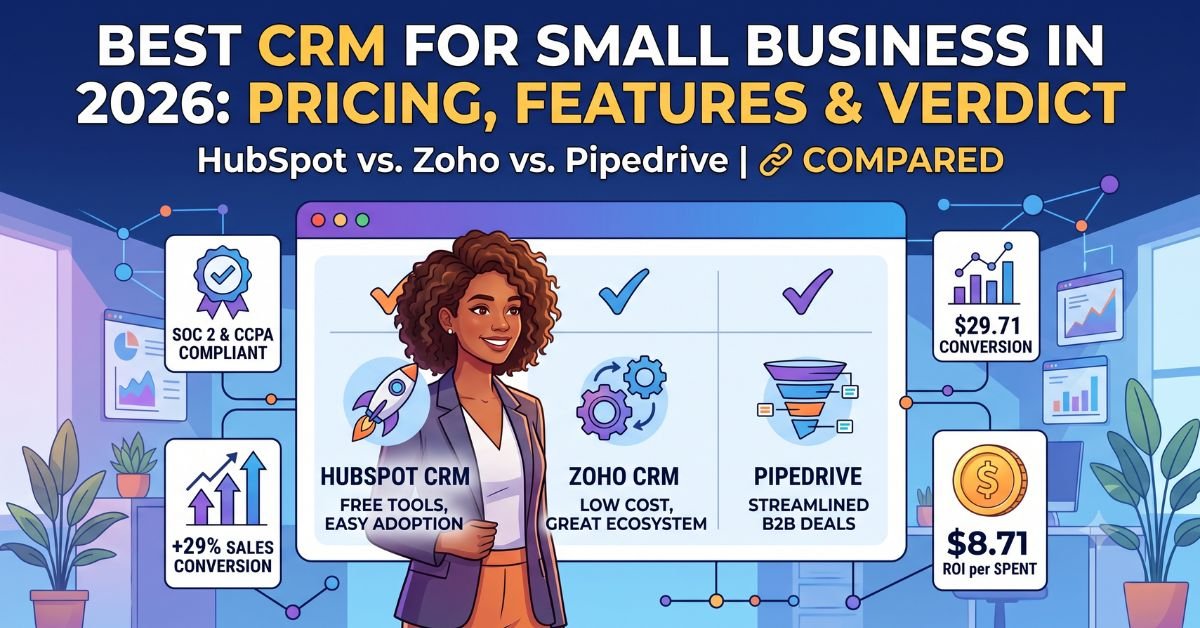
Finding the right CRM means matching the software to your actual sales workflow, not just buying the biggest brand name. Here is how the top three small business CRMs for 2026 stack up when looking past the marketing hype.
HubSpot vs. Zoho vs. Pipedrive
| CRM Platform | Best For | 2026 Starting Price (Annual) | Pros | Cons |
| HubSpot CRM | Inbound Marketing & Quick Setup | Free ($15/mo for Starter) | Unmatched free tier; zero-friction interface; excellent native marketing tools. | Steep pricing cliffs; jumping to the Pro tier requires a ~$1,500 onboarding fee. |
| Zoho CRM | Budget-Conscious Scalability | $14/user/mo | Incredible value; robust ecosystem (Zoho One) connects inventory and accounting. | Steeper learning curve; the user interface feels slightly dated compared to rivals. |
| Pipedrive | Visual Deal Pipelines & B2B Sales | $14/user/mo (Lite) | Superior drag-and-drop pipeline management; built strictly for sales velocity. | Minimal built-in marketing automation; requires third-party tools for email blasts. |
⚠️ Warning: Do not buy an Enterprise CRM like Salesforce for a 3-person team. The real cost isn’t just the license—it’s the lost revenue from reps refusing to use a system that is too complicated for their daily workflow.
Data Security & US Compliance Requirements
If you handle any US consumer data, your CRM must be a fortress. A data breach can destroy a small business overnight.
Before committing, verify that the vendor is fully SOC 2 Type II compliant and offers built-in alignment with the CCPA (California Consumer Privacy Act). If you operate in the medical or insurance space, ensure the platform explicitly offers a HIPAA compliant CRM environment with strict End-to-End Encryption (E2EE) and mandatory Two-Factor Authentication (2FA).
Step-by-Step Action Guide to CRM Implementation
Switching from spreadsheets to a CRM software for small business requires a clean, phased rollout. Do not try to automate everything on day one.
- Audit & Clean Your Data: Before importing, purge outdated contacts and duplicate records. If you migrate messy data, your new CRM will be useless.
- Map the Pipeline First: Define your exact deal stages (e.g., Lead > Demo Scheduled > Proposal Sent > Closed/Won). Keep it to 5 stages or fewer to ensure high adoption rates.
- Connect Your Core Stack: Use native integrations to sync your team’s Google Workspace/Outlook inboxes, calendar apps, and accounting software (like QuickBooks).
- Train the Team on the MVP (Minimum Viable Process): Require your reps to use the CRM for just three things initially: logging calls, tracking deal stages, and setting follow-up tasks. Add advanced API integration and automation sequences only after the core habits are built.
Expert Verdict
For the vast majority of US small businesses in 2026, HubSpot’s Sales Hub Starter and Pipedrive’s Growth tier are the undisputed champions.
If your growth relies heavily on inbound marketing, website forms, and content, go with HubSpot. If you run a hard-hitting outbound B2B sales team that lives and breathes deal stages, Pipedrive offers the cleanest, most efficient pipeline management on the market. If you are willing to trade a sleek interface for maximum feature depth at the lowest possible price, Zoho CRM is the strategic choice.
Frequently Asked Questions
What is the best and cheapest CRM for a small business? HubSpot offers an excellent free tier for basic contact management and email scheduling. However, if you need sales automation without hidden fees, Zoho CRM provides the most value at roughly $14 per user per month.
How much should a small business pay for a CRM? Most US small businesses should budget between $14 and $30 per user per month for an entry-level cloud CRM. Always calculate your Total Cost of Ownership (TCO) by projecting what the software will cost once your team requires premium features.
Which CRM is the easiest to learn for beginners? Pipedrive is widely considered the most intuitive option because it relies on a visual, drag-and-drop Kanban interface. Its clean design requires virtually no onboarding, allowing sales reps to track deals immediately.
Is Salesforce too complicated for a small business? Yes, Salesforce is generally overkill for micro-businesses because it requires heavy customization and often a dedicated IT administrator. Smaller teams will see faster ROI by adopting out-of-the-box solutions that do not disrupt their daily workflows.
When should a small business switch from spreadsheets to a CRM? You must migrate to a CRM the moment your team starts missing follow-ups or losing visibility into your customer acquisition cost (CAC). If multiple employees need to access a client’s communication history simultaneously, a spreadsheet is no longer secure or viable.
Conclusion
Choosing the right CRM software for small business operations is not about finding the platform with the most features; it is about finding the system your team will actually use. An underutilized enterprise CRM is a liability, whereas a fully adopted, streamlined platform will drastically lower your CAC and boost your bottom line. Prioritize essential integrations, avoid steep pricing cliffs, and enforce a simple, repeatable sales process.
Disclaimer: This guide is for informational and educational purposes only and does not constitute formal financial, legal, or IT procurement advice. Software pricing, terms, and regulatory compliance standards should be independently verified with each vendor prior to implementation.